
Insurance Service When and Where You Need It
Insurance needs don’t always happen during regular business hours.
You might need an auto insurance ID card while you’re away from home, want to make an insurance payment in the evening, need information after an accident, or remember a policy change you need to request while you’re on the go.
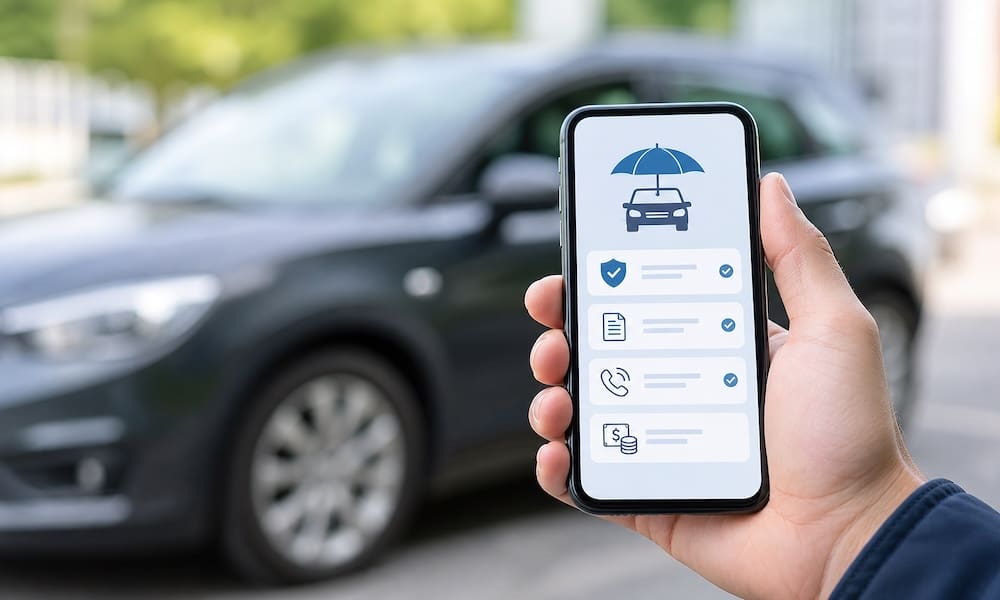
The Oberryman Insurance Mobile App gives our clients another convenient way to access insurance information and communicate with our agency from a smartphone or other compatible device.
The app isn’t intended to replace the personal service you receive from Oberryman Insurance Agency. Instead, it gives you another way to reach important insurance resources and submit common service requests when it’s convenient for you.
What Can You Do With the Oberryman Insurance Mobile App?
Depending on your policies, insurance company, and available app features, you may be able to use the app for a variety of insurance-related tasks.
Access Auto Insurance ID Cards
One of the most useful features of an insurance mobile app is convenient access to insurance information when you’re away from home.
Instead of searching through paperwork when you need proof of insurance, the app can provide convenient access to available auto insurance ID card information. Having your insurance information available on your phone can be particularly useful when traveling, renting a vehicle, or handling an unexpected situation.
Make an Insurance Payment
Need to pay an insurance bill? The mobile app can help direct you to available payment options for your insurance policy.
Payment processing and available options depend on the insurance company, so always review the payment confirmation and effective date carefully.
Report a Claim
An accident or property loss can happen at any time. The app provides a convenient starting point for reporting a claim or obtaining information about how to contact the appropriate insurance company.
If you’ve been involved in an accident, make sure everyone is safe first and contact emergency services when necessary.
Request a Policy Change
Insurance needs change. You may purchase another vehicle, change your address, update policy information or submit another servicing request.
The app gives you a convenient way to submit certain policy-change requests to our agency.
Important: Submitting a request through the app does not necessarily mean that coverage has been changed or that new coverage is immediately effective. Please wait for confirmation from Oberryman Insurance Agency or the applicable insurance company before assuming the requested change is complete.
Request an Insurance Certificate
Business insurance clients sometimes need a Certificate of Insurance to provide evidence of coverage to a landlord, contractor, customer, property manager, or another organization.
The app can provide a convenient way to submit a certificate request. Depending on the request, our agency may need additional information before issuing the certificate.
Request a Policy Review
Your insurance needs can change even when your policies don’t.
Examples of changes that may warrant an insurance review include buying a home, adding a youthful driver, purchasing a rental property, starting a business, getting married, making significant home improvements, or purchasing recreational vehicles.
The app provides another convenient way to request a policy review from our agency.
Why Use an Insurance Mobile App?
Convenience is the biggest advantage.
Many routine insurance needs occur when you’re not sitting at a desk with your insurance paperwork in front of you. Your smartphone, however, is usually nearby.
Having the Oberryman Insurance Mobile App available can make it easier to find insurance resources and communicate with our agency without having to remember where you stored a particular document or form.
It can be especially useful when you’re traveling, purchasing or renting a vehicle, involved in an accident, checking an insurance bill, looking for an ID card, requesting a certificate, remembering a policy change after business hours, or preparing for an insurance review.
The app provides another way to connect with our agency.
Does the Mobile App Replace Calling Our Office?
No. Technology should make insurance service more convenient – not eliminate personal service.
You are always welcome to contact Oberryman Insurance Agency when you have questions, need assistance, or would rather speak with someone directly.
The app is simply another service option. For straightforward requests, the mobile app may be convenient. For more complicated insurance questions – particularly questions involving coverage, claims, major policy changes, or new insurance needs – speaking with our agency may be the better choice.
Frequently Asked Questions About the Oberryman Insurance Mobile App
Below are answers to several common questions clients may have about using the app.
Who Should Download the App?
The app is primarily designed as a service resource for Oberryman Insurance Agency clients.
If you have insurance through our agency, keeping the app on your smartphone gives you convenient access to insurance information and service options when you need them.
Is the App Available for iPhone and Android?
Oberryman Insurance Agency provides download options for both Apple and Google mobile devices through our website.
Visit the Mobile App section of our Service Center to find the appropriate download option for your device.
Do I Have to Pay to Download the App?
Oberryman Insurance Agency does not charge a separate fee for clients to download our mobile app. Standard data or other charges from your mobile provider may still apply.
Can I Get My Auto ID Card Through the App?
Available policy information may include access to auto insurance ID cards or proof-of-insurance resources.
We recommend downloading the app and getting familiar with it before you need your insurance information urgently.
Can I Make My Insurance Payment Through the App?
The app can provide access to available payment resources.
Payment options ultimately depend on your insurance company and policy. Always verify that a payment has been successfully processed rather than assuming submission is complete.
Can I Report a Claim Through the App?
The app provides access to claim-reporting resources.
After an accident or loss, address immediate safety concerns first. Contact emergency services when appropriate and take reasonable steps to prevent additional damage when it is safe to do so.
Can I Change My Coverage Through the App?
You can use available app features to request certain policy changes.
However, submitting a request is not the same as confirming coverage. Never assume that a vehicle has been added, coverage increased, a driver removed, an address changed, or another insurance transaction completed until you receive confirmation from our agency or the applicable insurance company.
Can Business Clients Request Certificates of Insurance?
The app makes it easy to submit certificate requests.
Additional information may be necessary depending on the certificate holder and requested wording or coverage.
What If I Prefer Using a Computer?
That’s fine. Our website’s Service Center also provides desktop access to insurance service resources. You can choose the option that’s most convenient for you.
What If I Need Help Using the App?
Contact Oberryman Insurance Agency, and we’ll be happy to assist you.
Download the App Before You Need It
The best time to download an insurance app isn’t while you’re standing at a rental-car counter, looking for an ID card, or dealing with an unexpected accident.
Download it ahead of time, sign in, and become familiar with the available features. That way, when you need insurance information or assistance, you’ll already know where to find it.
Have Questions or Need Help Getting Started?
If you’re an Oberryman Insurance Agency client, visit the Mobile App section of our website’s Service Center to watch the introduction video, scan the QR code, or select the Apple or Google download option.
Once you’ve downloaded the app, take a few minutes to explore the available features so you’ll know where to find them when you need them.
If you need assistance setting up or using the Oberryman Insurance Mobile App, call Oberryman Insurance Agency at 703-986-0468. We’ll be happy to help.
Insurance information, mobile app functionality, online services, policy access, payment options, claim reporting, and service features may vary by insurance company, policy, device, and individual circumstances. An electronically submitted request does not guarantee that coverage has been bound, changed, added, or canceled. Do not assume an insurance transaction is complete until you receive appropriate confirmation. This article is provided for general informational purposes. Contact Oberryman Insurance Agency at 703-986-0468 with questions about your specific insurance policies or service needs.